Build an LLM Evaluation Pipeline with Promptfoo: A 60-Minute Tutorial
Install Promptfoo, write a YAML config, run side-by-side evals on GPT-5 vs Claude Sonnet 4.5, and ship the report. A 60-minute walkthrough for devs.
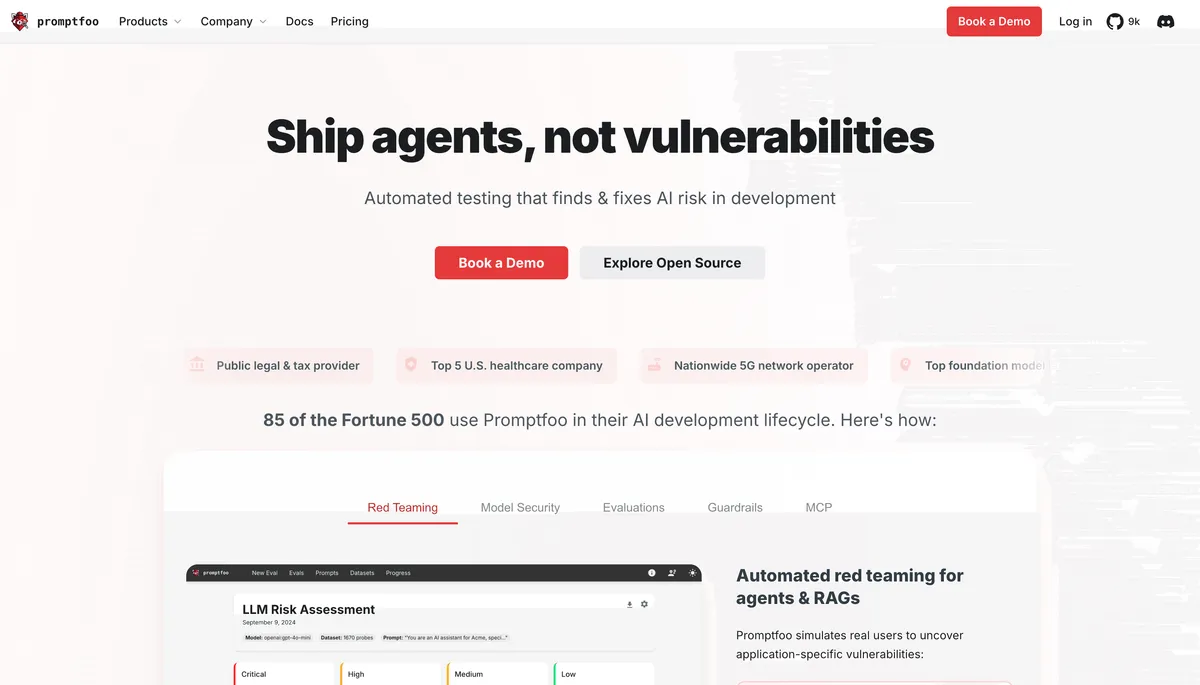
Image: Promptfoo home page marketing imagery, used for editorial coverage of the tool covered in this tutorial.
What you’ll need
This tutorial assumes a working Node.js environment (version 18 or later), an editor of your choice, and API credentials for at least one LLM provider. The walkthrough uses OpenAI and Anthropic for the side-by-side comparison; either one alone is enough to follow along, and Promptfoo also supports Azure, Google, Mistral, local Ollama, and a long list of others per the docs. 1 Set aside about 60 minutes end-to-end if you are running through this for the first time, including the time to read your first HTML report.
The decision rule, up front: Promptfoo is the right tool when you are benchmarking two or more models or two or more prompt variants on a real eval set, want the eval to live next to your code in version control, and want a portable HTML report you can hand to a colleague. Skip Promptfoo if your evaluation needs are a handful of smoke tests for a single prompt against a single model. In that case, a few assert statements in a Python script or a Vitest case in your existing repo will do the job with less ceremony.
One context note for 2026 readers: per OpenAI’s March 2026 announcement, OpenAI is acquiring Promptfoo. The stated motivation is agentic security testing and red-team evaluation for OpenAI Frontier; the open-source CLI continues under the existing license and remains the focus of this tutorial. 2
What this tutorial builds
By the end, you will have a small Promptfoo project that:
- Defines two prompt templates (a baseline and a variant) in a single YAML config.
- Sends the same set of test cases to GPT-5 and Claude Sonnet 4.5.
- Asserts each output against deterministic checks (contains, regex, JSON schema) and at least one LLM-graded assertion.
- Renders an HTML report you can open locally and share.
- Runs in CI on every pull request via GitHub Actions, failing the build when an assertion regresses.
The same shape extends to a real production eval set. The mechanics do not change when the test count grows from five to five hundred.
Prerequisites
Three things to confirm before you start.
First, Node.js 18 or later. node --version should print v18.x.x or higher. If you are on an older version, install via nvm or your package manager.
Second, API keys. Create them in the OpenAI dashboard and the Anthropic console, then export both into your shell:
export OPENAI_API_KEY="sk-..."
export ANTHROPIC_API_KEY="sk-ant-..."
For a dev billing in INR, OpenAI and Anthropic both bill the source-currency rate (USD), and your card issuer applies the conversion plus markup. Budget a few rupees per run while you are learning; the eval set in this tutorial costs well under fifty rupees end-to-end on the default models, and you can dial that down with smaller test sets or cheaper models during iteration.
Third, a working directory. Create one and step into it:
mkdir promptfoo-eval-tutorial && cd promptfoo-eval-tutorialStep 1: Initialise the project
Promptfoo ships as an npm package. The fastest way to scaffold is the init command, which writes a starter config to the current directory:
npx promptfoo@latest initThe first run downloads the package, drops a promptfooconfig.yaml in the current directory, and prompts you to choose a starter (a chat eval, a RAG eval, an agent eval, and so on). Pick the basic chat eval for this walkthrough; you can swap shapes later. Promptfoo’s docs walk through the same scaffolding step in the introduction page. 3
The starter config has placeholders for prompts, providers, and tests. We will replace it next.
Image: Promptfoo documentation introduction (promptfoo.dev/docs/intro), used for editorial coverage of the scaffolding command this tutorial uses.
Step 2: Write the YAML config
Open promptfooconfig.yaml in your editor and replace its contents with this:
description: "Side-by-side eval — GPT-5 vs Claude Sonnet 4.5 on a small QA set"

prompts:
  - id: baseline
    raw: |
      You are a helpful assistant. Answer the user's question concisely.
      Question: {{question}}
  - id: variant-with-cot
    raw: |
      You are a helpful assistant. Think step by step before answering.
      Question: {{question}}
      Reasoning:

providers:
  - id: openai:gpt-5
    label: gpt-5
  - id: anthropic:messages:claude-sonnet-4-5
    label: claude-sonnet-4-5

tests:
  - vars:
      question: "What is the capital of Karnataka?"
    assert:
      - type: contains
        value: "Bengaluru"
  - vars:
      question: "Convert 150 USD to INR at a rate of 83.5."
    assert:
      - type: regex
        value: "12,?525"
  - vars:
      question: "List three Indian states bordering Maharashtra."
    assert:
      - type: javascript
        value: |
          const states = ["Gujarat", "Madhya Pradesh", "Chhattisgarh", "Telangana", "Karnataka", "Goa"];
          const found = states.filter(s => output.includes(s));
          return { pass: found.length >= 3, score: found.length / 3, reason: `Found ${found.length} states` };
  - vars:
      question: "What is the GST rate on packaged software in India?"
    assert:
      - type: llm-rubric
        value: "The answer correctly identifies 18% as the GST rate for packaged software, and does not confuse it with services or other categories."
Three things to notice. The prompts block defines the two variants you want to compare. The providers block lists the two models; Promptfoo’s provider strings follow the <vendor>:<model> convention documented in the configuration guide. 4 The tests block holds the cases, each with input variables (the {{question}} placeholder gets substituted) and one or more assertions.
The four assertion types in this config map to the four shapes you will use most often. contains is a substring check. regex is a pattern match. javascript is a custom function returning { pass, score, reason }. llm-rubric asks a grader model to evaluate the output against a written rubric, which is the right fit when the right answer has multiple correct phrasings.
Image: Promptfoo configuration guide (promptfoo.dev/docs/configuration/guide), used for editorial coverage of the YAML schema and assertion types this tutorial draws from.
Step 3: Run the eval
From the project directory:
npx promptfoo evalPromptfoo runs every test against every prompt against every provider. With four tests, two prompts, and two providers, that is sixteen calls. The CLI prints a results table to your terminal, with pass/fail per cell and a total at the bottom. A first-run output looks roughly like this:
┌──────────────────┬─────────────┬──────────────┬─────────────┬──────────────┐
│ question         │ baseline    │ baseline     │ variant     │ variant      │
│                  │ gpt-5       │ claude-4-5   │ gpt-5       │ claude-4-5   │
├──────────────────┼─────────────┼──────────────┼─────────────┼──────────────┤
│ Karnataka cap    │ ✓ PASS      │ ✓ PASS       │ ✓ PASS      │ ✓ PASS       │
│ USD->INR         │ ✓ PASS      │ ✓ PASS       │ ✓ PASS      │ ✓ PASS       │
│ Maharashtra brdr │ ✓ PASS 1.0  │ ✗ FAIL 0.67  │ ✓ PASS 1.0  │ ✓ PASS 1.0   │
│ GST on software  │ ✓ PASS      │ ✓ PASS       │ ✓ PASS      │ ✓ PASS       │
└──────────────────┴─────────────┴──────────────┴─────────────┴──────────────┘
Your numbers will differ run-to-run; LLM outputs are non-deterministic by default. The interesting cell is the one where one model passes and the other fails — that is the eval doing its job.
Step 4: View the HTML report
The terminal table is enough for a quick glance. The HTML report is where you actually compare outputs side-by-side, read full responses, and share the result with a colleague. Run:
npx promptfoo viewPromptfoo starts a local web server (default port 15500) and opens the report in your browser. Each row is a test case; each column is a prompt-provider combination. Click any cell to expand the full output, the assertion that fired, and the latency and token count for that call. The web view also exposes a search box, lets you filter to failing tests only, and renders a diff between two runs when you have run the eval twice.
Step 5: Add a custom JavaScript assertion
For evals where neither contains nor regex capture the rule, write a JavaScript assertion. Add a fifth test case to your config:
  - vars:
      question: "Write a one-line Python function that returns the square of its input."
    assert:
      - type: javascript
        value: |
          // Rule: output must contain a function definition that
          // squares its input. Accept lambda or def.
          const hasLambda = /lambda\s+\w+\s*:\s*\w+\s*\*\*\s*2/.test(output);
          const hasDef = /def\s+\w+\s*\(\s*\w+\s*\)\s*:\s*return\s+\w+\s*\*\*\s*2/.test(output);
          return {
            pass: hasLambda || hasDef,
            reason: hasLambda ? "lambda form" : hasDef ? "def form" : "no squaring function detected"
          };
The function receives output (the model’s response as a string) and returns { pass, score?, reason? }. Re-run npx promptfoo eval and the new assertion runs against every prompt-provider combo. Custom assertions are how you enforce the rules your specific application cares about, not the generic ones the built-in types cover.
Step 6: Wire it into CI
The point of a portable eval is that it runs on every pull request. Add .github/workflows/promptfoo.yml:
name: promptfoo eval

on:
  pull_request:
    paths:
      - "promptfooconfig.yaml"
      - "prompts/**"
      - ".github/workflows/promptfoo.yml"

jobs:
  eval:
    runs-on: ubuntu-latest
    steps:
      - uses: actions/checkout@v4
      - uses: actions/setup-node@v4
        with:
          node-version: 20
      - name: Run promptfoo eval
        env:
          OPENAI_API_KEY: ${{ secrets.OPENAI_API_KEY }}
          ANTHROPIC_API_KEY: ${{ secrets.ANTHROPIC_API_KEY }}
        run: npx promptfoo@latest eval --output results.json
      - uses: actions/upload-artifact@v4
        with:
          name: promptfoo-results
          path: results.json
Two things matter here. First, the paths filter only triggers the workflow when the prompt or eval config changes, not on every PR. Second, the --output results.json flag writes machine-readable output that you can post to a PR comment with a follow-up step or compare against the previous main-branch run to detect regressions. The repo on GitHub has community-maintained CI examples and workflows under the examples/ directory if you want a head-start. 5
For a regression gate, set the workflow to fail when assertions drop below a threshold. Promptfoo exits non-zero by default when any test fails; for partial-credit evals using score, set the PROMPTFOO_PASS_RATE_THRESHOLD environment variable in the workflow step (e.g. PROMPTFOO_PASS_RATE_THRESHOLD=0.9 npx promptfoo@latest eval) to require ninety per cent or higher.
Image: github.com/promptfoo/promptfoo repository, used for editorial coverage of the open-source CI examples this tutorial references.
Common pitfalls
Three traps catch most first-time users.
Treating an eval set as static. A useful eval set grows. Add a case every time a user reports a wrong answer; remove cases when the underlying behaviour stabilises. Eval drift is normal; pretending the original set is canonical is the bug.
Over-trusting LLM-graded assertions. llm-rubric is convenient, but the grader model can hallucinate a pass on a wrong answer or a fail on a correct one. Use it for cases where deterministic assertions cannot capture the rule, and pair it with sampling: read at least a handful of grader decisions per run to confirm the rubric is being applied as you intended.
Forgetting to version-control the config. The whole point is that your eval lives next to your code. Commit promptfooconfig.yaml and any prompt-template files. Do not commit your .env or any file containing API keys; add them to your secrets store and reference them via environment variables.
Where to go next
Three follow-ups, in rough order of payoff.
Add red-team tests. Promptfoo ships a redteam mode for adversarial evaluation (jailbreak attempts, prompt-injection probes, harmful-content checks). For any prompt that ships to a real user, this is the second eval set after the happy-path one. The docs cover the redteam mode end-to-end.
Hook in a custom grader model. The default llm-rubric grader uses the same provider as the prompt under test. For higher-quality judgement, configure a separate grader model (often a stronger, more expensive model) so the cost stays low on the eval target while the grading bar stays high.
Compare against your prior production prompt. Once your eval set has thirty or more cases, the most useful run is your current prompt against the variant you are considering shipping. Promptfoo’s report makes the diff legible. The eval is a precondition for the change, not paperwork after it.
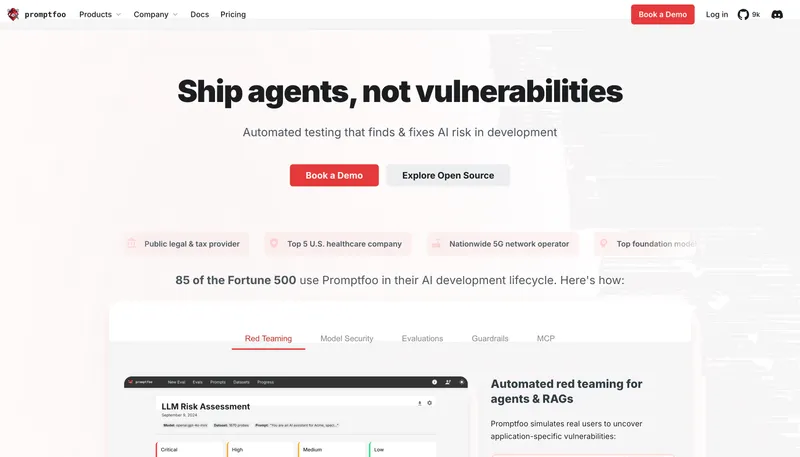
Image: Promptfoo home page (promptfoo.dev), used for editorial coverage of the tool covered in this tutorial.
The shape of a good eval set, in one sentence: every case is a question your application has to get right, every assertion is a specific rule you can defend, and every failing case has a clear next action. Build the first ten cases by hand; the next fifty come from real user feedback.
How this article was made: an autonomous AI pipeline researched, drafted, fact-checked, and reviewed this piece, aggregating publicly-available information from the sources consulted below. AI (artificial intelligence) can make mistakes, so please cross-check the consulted sources before acting on anything here. Neural Tech Daily is not liable for decisions or outcomes based on this article.
Sources consulted
Cited Sources
- 1. Promptfoo docs introduction page documents the supported provider list (OpenAI, Anthropic, Azure, Google, Mistral, Ollama, and others) and the npm install path (accessed ) ↩
- 2. OpenAI announcement of the Promptfoo acquisition (March 2026), positioning the move around agentic security testing and red-team evaluation for OpenAI Frontier; the open-source CLI continues under the existing license (accessed ) ↩
- 3. Promptfoo docs introduction page documents the `npx promptfoo@latest init` scaffolding command and the starter selection flow (accessed ) ↩
- 4. Promptfoo configuration guide documents provider-string conventions (vendor:model), the prompts/providers/tests YAML schema, and the assertion types covered in this tutorial (accessed ) ↩
- 5. Promptfoo GitHub repository hosts the source, community-maintained CI examples under `examples/`, and the active issue tracker (accessed ) ↩
Further Reading
- Promptfoo, official home page (accessed )
Anonymous · no cookies set