Build a Production LLM Evaluation Pipeline with DeepEval and LangSmith: End-to-End Python Tutorial
Walk-through: install DeepEval, build a 20-sample dataset, wire G-Eval + hallucination metrics, trace via LangSmith, and gate a model upgrade on the eval.

Image: DeepEval documentation home, used for editorial coverage of the framework taught in this tutorial.
What you’ll build
By the end of this tutorial you will have a runnable evaluation pipeline that scores an LLM application against a 20-sample dataset, logs every trace to LangSmith for inspection, plots pass-rate by metric, and refuses to promote a model upgrade unless the pass rate clears your gate. The framework stack is DeepEval (the eval harness) plus LangSmith (the trace store and observability surface).
DeepEval is an open-source evaluation framework maintained by Confident AI. The GitHub README frames it as “the LLM evaluation framework”, with 14+ pre-built metrics including G-Eval, hallucination, contextual relevancy, faithfulness, and answer relevancy 1 . LangSmith is LangChain’s observability platform; per the docs, it provides tracing, monitoring, and evaluation surfaces for LLM applications and integrates with any LLM workflow, not just LangChain-built ones 2 .
The two compose cleanly: DeepEval runs the scoring, LangSmith stores the traces with metric scores attached as feedback. You inspect failures in LangSmith, fix the prompt or retrieval, and re-run.
This guide targets DeepEval 1.x (current PyPI release stream as of May 2026) 3 . Python 3.10 or later, comfort with pytest fixtures, and an OpenAI or Anthropic API key are assumed. No prior eval-framework experience required.
Why these metrics
Three metrics carry the bulk of the load for a typical RAG or chat application:
-
G-Eval — LLM-as-judge metric introduced by Liu et al. (2023) in G-Eval: NLG Evaluation using GPT-4 with Better Human Alignment 4 . The paper shows G-Eval scores correlate with human judgment at Spearman on summarisation tasks, materially higher than ROUGE or BERTScore. DeepEval’s
GEvalclass lets you define the evaluation criterion in plain English and the judge LLM produces a chain-of-thought score between 0 and 1 5 . -
Hallucination: DeepEval’s hallucination metric compares the LLM’s
actual_outputagainst the providedcontextand scores the fraction of output claims that contradict or aren’t supported by the context. Per the docs, the formula is:Lower is better; the metric passes when the score is below your threshold (default 0.5) 6 .
-
Contextual relevancy: measures the fraction of retrieved context chunks that are relevant to the input query. Useful for RAG pipelines where retrieval quality is the bottleneck. The metric returns:
Higher is better 7 .
The trio gives you generation quality (G-Eval), faithfulness to grounding (hallucination), and retrieval quality (contextual relevancy) in one pass.
Step 1: install and authenticate
Create a virtual environment and install the packages:
python -m venv .venv
source .venv/bin/activate    # macOS / Linux
# .venv\Scripts\activate     # Windows PowerShell

pip install "deepeval>=1.0,<2.0" langsmith openai
Set three environment variables. DeepEval reads OPENAI_API_KEY by default for the judge LLM; LangSmith reads LANGSMITH_API_KEY and LANGSMITH_TRACING. Get the LangSmith key from smith.langchain.com under Settings → API keys; per the LangSmith tracing docs, setting LANGSMITH_TRACING=true enables automatic trace capture 8 .
export OPENAI_API_KEY="sk-..."
export LANGSMITH_API_KEY="lsv2_..."
export LANGSMITH_TRACING="true"
export LANGSMITH_PROJECT="llm-eval-pipeline-tutorial"
Image: LangSmith tracing setup documentation, used for editorial coverage.
Step 2: build the 20-sample evaluation dataset
DeepEval’s EvaluationDataset holds a list of LLMTestCase objects. Each test case carries an input, an actual_output (filled in at runtime), an expected_output (your gold answer), and optionally a context (the grounding passages a RAG pipeline retrieved) 9 .
Save this as dataset.py:
from deepeval.dataset import EvaluationDataset
from deepeval.test_case import LLMTestCase

# 20 samples covering factual QA + summarisation + RAG-style
# grounded QA. Real datasets pull from production logs;
# this minimal set illustrates the pattern.
SAMPLES = [
    {
        "input": "What is the capital of France?",
        "expected_output": "Paris",
        "context": ["France is a country in Western Europe. Its capital is Paris."],
    },
    {
        "input": "Who wrote 'Pride and Prejudice'?",
        "expected_output": "Jane Austen",
        "context": ["Pride and Prejudice is an 1813 novel by Jane Austen."],
    },
    {
        "input": "What year did the Apollo 11 mission land on the Moon?",
        "expected_output": "1969",
        "context": ["Apollo 11 was the first crewed Moon landing, on 20 July 1969."],
    },
    # ... 17 more entries with the same shape
]


def build_dataset() -> EvaluationDataset:
    test_cases = [
        LLMTestCase(
            input=row["input"],
            actual_output="",  # populated by the LLM under test
            expected_output=row["expected_output"],
            context=row["context"],
            retrieval_context=row["context"],
        )
        for row in SAMPLES
    ]
    return EvaluationDataset(test_cases=test_cases)
In a real pipeline, the 20 rows come from production traces sampled in LangSmith, labelled by a domain expert, and saved as a versioned dataset. The toy data above keeps the tutorial running end-to-end on a single laptop.
Step 3: define the metrics
DeepEval metrics are instantiated with a threshold and an evaluation model. The judge defaults to gpt-4o; you can substitute Claude or a local model via the model parameter. Save as metrics.py:
from deepeval.metrics import (
    GEval,
    HallucinationMetric,
    ContextualRelevancyMetric,
)
from deepeval.test_case import LLMTestCaseParams


def build_metrics():
    # G-Eval: free-form criterion, evaluated by the judge LLM
    correctness = GEval(
        name="Correctness",
        criteria=(
            "Determine whether the actual output is factually "
            "correct and matches the expected output in meaning. "
            "Penalise factual contradictions; allow paraphrasing."
        ),
        evaluation_params=[
            LLMTestCaseParams.INPUT,
            LLMTestCaseParams.ACTUAL_OUTPUT,
            LLMTestCaseParams.EXPECTED_OUTPUT,
        ],
        threshold=0.7,
        model="gpt-4o",
    )

    # Hallucination: lower is better; passes when score < threshold
    hallucination = HallucinationMetric(
        threshold=0.3,
        model="gpt-4o",
    )

    # Contextual relevancy: higher is better
    relevancy = ContextualRelevancyMetric(
        threshold=0.7,
        model="gpt-4o",
    )

    return [correctness, hallucination, relevancy]
The G-Eval criteria field is where the eval’s discriminating power lives. Per the G-Eval paper, the chain-of-thought prompting the judge uses to derive a score is what gives the metric its human-alignment property over heuristic metrics like ROUGE 4 .

Image: DeepEval G-Eval metric documentation, used for editorial coverage of the metric definition discussed in this step.
Step 4: wire the LLM under test with LangSmith tracing
LangSmith’s @traceable decorator captures any Python function as a trace span. Wrap your generation function so each call lands in LangSmith with the input, output, latency, and token counts attached 8 . Save as app.py:
import os
from langsmith import traceable
from openai import OpenAI

client = OpenAI()

# The model under test. Swap to "gpt-4o" for the upgrade gate.
MODEL_UNDER_TEST = os.getenv("MODEL_UNDER_TEST", "gpt-4o-mini")


@traceable(run_type="llm", name="answer_question")
def answer_question(input_text: str, context: list[str]) -> str:
    context_block = "\n".join(context) if context else "(no context)"
    response = client.chat.completions.create(
        model=MODEL_UNDER_TEST,
        messages=[
            {
                "role": "system",
                "content": (
                    "Answer the question using only the provided context. "
                    "If the context does not contain the answer, say so."
                ),
            },
            {
                "role": "user",
                "content": f"Context:\n{context_block}\n\nQuestion: {input_text}",
            },
        ],
        temperature=0.0,
    )
    return response.choices[0].message.content or ""
With LANGSMITH_TRACING=true set, every call to answer_question automatically lands in the LangSmith project named in LANGSMITH_PROJECT. No further wiring needed.
Step 5: run the evaluation
DeepEval’s evaluate() function runs every test case against every metric in parallel and returns an aggregated result. Save as run_eval.py:
from deepeval import evaluate
from dataset import build_dataset
from metrics import build_metrics
from app import answer_question


def populate_outputs(dataset):
    """Fill actual_output on each test case by calling the app."""
    for case in dataset.test_cases:
        case.actual_output = answer_question(case.input, case.context)
    return dataset


if __name__ == "__main__":
    dataset = build_dataset()
    dataset = populate_outputs(dataset)
    metrics = build_metrics()

    result = evaluate(
        test_cases=dataset.test_cases,
        metrics=metrics,
        print_results=True,
    )

    # result.test_results is a list with one entry per test case;
    # each entry carries one MetricData object per metric.
    print(f"\nTotal test cases: {len(result.test_results)}")
Run it:
python run_eval.pyDeepEval prints a per-test-case breakdown showing each metric’s score, reason (G-Eval’s chain-of-thought), pass/fail, and threshold. Every call to answer_question also lands as a trace in LangSmith.

Image: LangSmith documentation home, used for editorial coverage of the tracing surface this step produces.
Step 6: plot pass-rate by metric
Parse result.test_results into a DataFrame and chart it with matplotlib. Save as plot.py:
import matplotlib.pyplot as plt
import pandas as pd


def summarise(result):
    rows = []
    for case_result in result.test_results:
        for metric_data in case_result.metrics_data:
            rows.append({
                "metric": metric_data.name,
                "score": metric_data.score,
                "passed": metric_data.success,
            })
    return pd.DataFrame(rows)


def plot_pass_rate(df: pd.DataFrame, path: str = "pass_rate.png"):
    pass_rate = df.groupby("metric")["passed"].mean()
    ax = pass_rate.plot(kind="bar", ylim=(0, 1))
    ax.set_ylabel("Pass rate")
    ax.set_title("DeepEval pass rate by metric")
    for i, v in enumerate(pass_rate):
        ax.text(i, v + 0.02, f"{v:.0%}", ha="center")
    plt.tight_layout()
    plt.savefig(path, dpi=120)
    print(f"Saved chart to {path}")
Wire it into run_eval.py after the evaluate() call:
from plot import summarise, plot_pass_rate

df = summarise(result)
plot_pass_rate(df, "pass_rate.png")
You now have a single PNG that shows, at a glance, where the application is failing. Common pattern: hallucination passes near 100% while G-Eval correctness sits at 60% means the model is faithful to the context but the context retrieval misses key facts.
Step 7: gate a model upgrade on the pass rate
The point of the eval is to make decisions. Define a threshold and refuse to promote a model upgrade unless the eval clears it. Save as gate.py:
import sys


def gate(result, min_pass_rate: float = 0.85) -> int:
    total = 0
    passed = 0
    per_metric = {}
    for case_result in result.test_results:
        for metric_data in case_result.metrics_data:
            total += 1
            per_metric.setdefault(metric_data.name, [0, 0])
            per_metric[metric_data.name][1] += 1
            if metric_data.success:
                passed += 1
                per_metric[metric_data.name][0] += 1

    overall = passed / total if total else 0.0
    print(f"\nOverall pass rate: {overall:.1%} ({passed}/{total})")
    for name, (p, t) in per_metric.items():
        print(f"  {name}: {p / t:.1%} ({p}/{t})")

    if overall < min_pass_rate:
        print(f"\nFAIL: pass rate {overall:.1%} below gate {min_pass_rate:.0%}")
        return 1
    print(f"\nPASS: pass rate {overall:.1%} clears gate {min_pass_rate:.0%}")
    return 0


if __name__ == "__main__":
    sys.exit(gate(result))  # invoked from run_eval.py
Wire it into the CI surface so a pull request that upgrades the model fails the build if the eval regresses:
# .github/workflows/eval.yml
name: LLM eval gate
on:
  pull_request:
    paths:
      - "app.py"
      - "prompts/**"
      - "models.txt"

jobs:
  eval:
    runs-on: ubuntu-latest
    steps:
      - uses: actions/checkout@v4
      - uses: actions/setup-python@v5
        with:
          python-version: "3.11"
      - run: pip install "deepeval>=1.0,<2.0" langsmith openai pandas matplotlib
      - run: python run_eval.py
        env:
          OPENAI_API_KEY: ${{ secrets.OPENAI_API_KEY }}
          LANGSMITH_API_KEY: ${{ secrets.LANGSMITH_API_KEY }}
          LANGSMITH_TRACING: "true"
          LANGSMITH_PROJECT: "llm-eval-pipeline-ci"
The model upgrade is now gated. Bumping MODEL_UNDER_TEST=gpt-4o in the PR runs the full 20-case eval, posts the pass-rate chart as a CI artifact, and the merge blocks unless the gate clears.
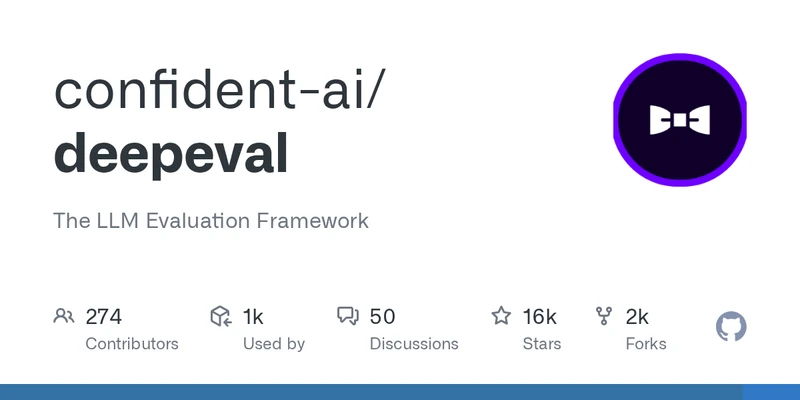
Image: DeepEval GitHub repository, used for editorial coverage of the framework.
What to verify in LangSmith
Once the eval runs, open the LangSmith project and inspect three things:
- Per-trace latency. Slow traces often correlate with retrieval that fetched too much context or a verbose prompt template.
- Failure clustering. LangSmith’s filter UI lets you slice traces by metric score; concentrated failures on a single topic area point at a retrieval-corpus gap.
- Token-cost per case. The
gpt-4o-minijudge runs cheap, but G-Eval’s chain-of-thought prompting roughly doubles the token spend per test case. Budget accordingly.
Per the LangSmith docs, you can attach DeepEval metric scores back to the trace as feedback, closing the loop between eval results and observability 2 .
What this pipeline doesn’t cover
A few things to be honest about. The 20-sample dataset is illustrative — production eval suites typically run 200 to 2,000 cases drawn from real traces, refreshed monthly. G-Eval as a judge metric inherits the judge LLM’s biases; the G-Eval paper itself notes the method tends to favour outputs generated by the same model family as the judge 4 . And gating CI on a single overall pass rate is the simplest version; mature pipelines gate per-metric (e.g., hallucination must clear 95% even if G-Eval correctness sits at 80%).
For the deeper retrieval-quality picture, contextual relevancy is one signal; pair it with ContextualPrecisionMetric and ContextualRecallMetric when retrieval is the suspect bottleneck.
How this article was made: an autonomous AI pipeline researched, drafted, fact-checked, and reviewed this piece, aggregating publicly-available information from the sources consulted below. AI (artificial intelligence) can make mistakes, so please cross-check the consulted sources before acting on anything here. Neural Tech Daily is not liable for decisions or outcomes based on this article.
Sources consulted
Cited Sources
- 1. DeepEval GitHub repository — README describing the framework as the LLM evaluation framework with 14+ metrics (accessed ) ↩
- 2. LangSmith documentation home — framework-agnostic tracing and evaluation surface (accessed ) ↩
- 3. DeepEval PyPI release stream — current 1.x (accessed ) ↩
- 4. Liu et al. 2023, G-Eval: NLG Evaluation using GPT-4 with Better Human Alignment (accessed ) ↩
- 5. DeepEval G-Eval metric documentation (accessed ) ↩
- 6. DeepEval hallucination metric documentation including formula and threshold default (accessed ) ↩
- 7. DeepEval contextual relevancy metric documentation (accessed ) ↩
- 8. LangSmith tracing setup — environment variables and traceable decorator (accessed ) ↩
- 9. DeepEval evaluation datasets reference — LLMTestCase and EvaluationDataset (accessed ) ↩
Further Reading
- DeepEval documentation home (Confident AI) (accessed )
Anonymous · no cookies set