Deploy an LLM Chat App to Hugging Face Spaces with Gradio (May 2026)
Follow-along tutorial: scaffold a Gradio Blocks chat UI that calls Claude via the Anthropic Python SDK, push to a free-tier Space, wire env-var secrets, test the URL.
Image: Hugging Face Spaces overview, used for editorial coverage of the deployment surface this tutorial uses.
What you’ll ship in about an hour
A live, publicly-reachable chat URL backed by Claude. The deployment runs on Hugging Face’s free CPU Basic tier (2 vCPU, 16 GB RAM) 1 , exposes a Gradio chat UI, and reads the Anthropic API key from a Space-level secret rather than the repository. By the end you will have:
- A Gradio chat app (
app.py) that calls the Anthropic Messages API via the official Python SDK. - A Space repository on
huggingface.co/spaces/<your-user>/<space-name>with the Gradio SDK selected. - An
ANTHROPIC_API_KEYsecret configured in the Space Settings page. - A working
*.hf.spaceURL that responds to a curl test from your machine.
Skills assumed: Python 3.9 or later, familiarity with pip and git, a Hugging Face account, and an Anthropic API key with at least a small amount of usage credit. The tutorial walks the exact files Hugging Face’s Gradio quick-start documents 2 , plus the chat-loop wiring the official Anthropic Python SDK quick start demonstrates 3 .
Before you start: three confirmations
Verify these on the day you deploy because each one drifts.
- Free-tier specs. Hugging Face’s Spaces overview lists CPU Basic at 2 vCPU and 16 GB RAM at $0 per hour 1 . The page also notes that free-hardware Spaces “go to sleep” after a period of inactivity, so cold-start latency hits the first request after idle. Check the live banner before promising uptime.
- Current Claude model identifier. Anthropic’s Python SDK quick start uses
claude-opus-4-7as the example model identifier as of the access date 3 . Anthropic retires model names on rolling cadences, so re-check the model catalogue in the Anthropic console on deployment day and substitute the current canonical identifier in themodel=field below. - Anthropic API pricing. Per-million input and output token rates live on the Anthropic API getting-started page 4 . Token spend on a Spaces-hosted chat UI accrues on the Anthropic side, not the Hugging Face side; CPU Basic itself is free, so the only meter you actually need to watch is Anthropic’s. Set a console spend limit before exposing the URL publicly.
The four files
The Spaces Gradio SDK expects a specific minimum layout per the official quick start 2 :
my-claude-chat/
  README.md
  app.py
  requirements.txt
  .gitignore
README.md carries a YAML front-matter block that tells Spaces which SDK to use. app.py is the entry-point Gradio script. requirements.txt lists Python dependencies the Spaces build step installs. .gitignore keeps local virtualenv and IDE artefacts out of the repo.
README.md
---
title: My Claude Chat
emoji: 💬
colorFrom: blue
colorTo: indigo
sdk: gradio
sdk_version: 5.0.0
app_file: app.py
pinned: false
license: mit
short_description: Chat UI backed by Claude via the Anthropic Python SDK.
---

A minimal Gradio chat interface wired to the Anthropic Messages API.
Set `ANTHROPIC_API_KEY` as a Space secret before the app will respond.
The sdk: gradio line is what Spaces reads to select the Gradio runtime. sdk_version pins the Gradio release the build installs; pick the version your app.py was developed against. app_file: app.py is the entry-point filename. Verify the current set of YAML fields against the Spaces configuration reference on deployment day, because Spaces occasionally adds optional fields.
requirements.txt
gradio>=5.0.0
anthropic>=0.40.0
Two top-level dependencies. Gradio brings its own transitive graph (FastAPI, Uvicorn, Pydantic). The Anthropic SDK pulls in httpx and pydantic. Both are pure-Python or have wheels for Linux x86-64, which is what the Spaces CPU Basic environment runs. The Anthropic Python SDK requires Python 3.9 or later per the SDK requirements table 5 .
.gitignore
__pycache__/
*.pyc
.venv/
.env
.DS_Store
.idea/
.vscode/
The .env line is load-bearing. If you set ANTHROPIC_API_KEY in a local .env for testing, the .gitignore keeps it from leaking into a public git history. Hugging Face’s Spaces Secrets Scanner does flag hard-coded keys committed to the repo, but the safer posture is to never commit the file in the first place.
app.py: the Gradio chat loop
import os

import anthropic
import gradio as gr

MODEL = os.environ.get("CLAUDE_MODEL", "claude-opus-4-7")
SYSTEM_PROMPT = (
    "You are a concise assistant. Answer in plain prose. "
    "Avoid filler. If you do not know, say so."
)
MAX_TOKENS = 1024

client = anthropic.Anthropic()


def chat(message: str, history: list[dict]) -> str:
    """Gradio ChatInterface handler — message is the new user turn,
    history is the prior turns in OpenAI-style dict format."""
    messages = []
    for turn in history:
        messages.append({"role": turn["role"], "content": turn["content"]})
    messages.append({"role": "user", "content": message})

    response = client.messages.create(
        model=MODEL,
        max_tokens=MAX_TOKENS,
        system=SYSTEM_PROMPT,
        messages=messages,
    )
    return response.content[0].text


demo = gr.ChatInterface(
    fn=chat,
    type="messages",
    title="Claude chat (deployed on Hugging Face Spaces)",
    description="Backed by Claude via the Anthropic Python SDK.",
    examples=[
        "Explain Hugging Face Spaces in two sentences.",
        "Write a haiku about cold starts.",
        "What does gr.ChatInterface do?",
    ],
)

if __name__ == "__main__":
    demo.launch()
A few notes worth carrying:
anthropic.Anthropic()with no arguments reads the API key from theANTHROPIC_API_KEYenvironment variable per the SDK quick start 3 . You never pass the key as a literal in code.type="messages"switches the Gradio chat history to OpenAI-style{"role": ..., "content": ...}dictionaries, which maps cleanly onto the Anthropic Messages API request shape. The older tuple-based history format still works in Gradio, but the dict shape is the closer match to the Anthropic request body.system=carries Claude’s system prompt outside themessagesarray, per the Messages API contract documented on the Anthropic API getting-started page 6 .response.content[0].textextracts the text body. The Messages API returns content as an array of content blocks; for a plain-text response the first block’stextfield is what you render to the chat UI.demo.launch()starts the Gradio server. On Spaces, the runtime supplies host + port wiring automatically; you do not need to passserver_nameorserver_port. Locally,python app.pyopens the UI onhttp://127.0.0.1:7860.
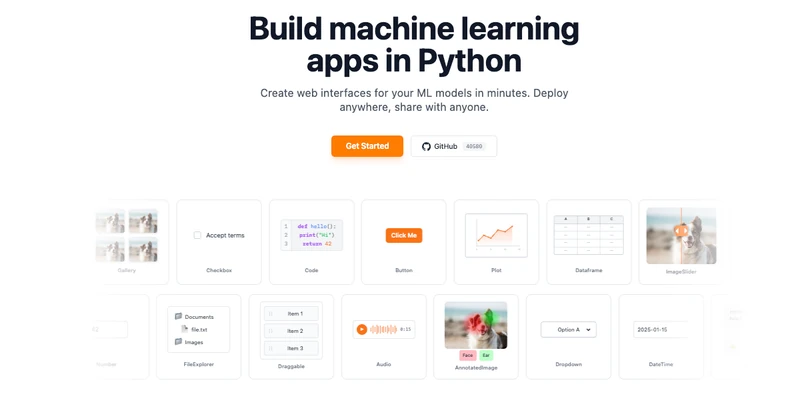
Image: Gradio ChatInterface documentation, used for editorial coverage of the chat-loop primitive this tutorial uses.
Test it locally first
Before pushing anything, run the app on your laptop and confirm the chat loop works against your key:
python -m venv .venv
source .venv/bin/activate   # Windows: .venv\Scripts\activate
pip install -r requirements.txt

export ANTHROPIC_API_KEY="sk-ant-..."   # paste your key here
python app.py
Open http://127.0.0.1:7860 in a browser. Type a message; the Anthropic call should round-trip in roughly one to three seconds depending on prompt length and network. If you get an AuthenticationError, the key isn’t being read from the environment; double-check the export step and that you ran python app.py in the same shell.
A successful local run is the precondition for deploying. Most “Space crashed on startup” reports trace to either a missing dependency in requirements.txt or a Python error that the laptop run would have caught.
Create the Space
Two paths exist; both end at the same git repository.
Path A: web UI
Visit huggingface.co/new-space, fill in:
- Owner: your user or an organisation you have write access to.
- Space name:
my-claude-chat(kebab-case; becomes part of the URL). - License: MIT (or whatever matches your
README.md). - SDK: Gradio.
- Hardware: CPU Basic (FREE).
- Visibility: Public for this tutorial; switch to Private later if needed.
Click Create Space. Hugging Face initialises a git repository with a starter README.md and app.py.
Path B: CLI
pip install -U huggingface_hub
hf auth login   # paste a Hub access token with "write" scope
hf repo create my-claude-chat --type space --space_sdk gradio
Either path produces a Space repo at https://huggingface.co/spaces/<your-user>/my-claude-chat. The Hub CLI workflow is documented on the huggingface_hub CLI guide 7 .
Image: Hugging Face Spaces — Gradio SDK reference, used for editorial coverage of the Gradio Space layout this tutorial follows.
Set the Anthropic key as a Space secret
This is the step every “it works locally but fails on Spaces” debugging thread eventually points back to. On the Space’s page, click Settings, scroll to Variables and secrets, and add a Secret:
- Name:
ANTHROPIC_API_KEY - Value: your Anthropic key
Click Save. The Spaces overview documentation is explicit that secrets are exposed to the running app as environment variables, identical to local os.environ reads 8 . The Anthropic SDK’s anthropic.Anthropic() constructor reads exactly ANTHROPIC_API_KEY, so no code changes are needed between local and deployed runs.
Two pitfalls worth knowing:
- Secrets are not readable after save. If you mistype the value, the Settings page will not show it back to you; you have to delete and recreate the secret. Paste from a password manager.
- Secrets versus variables. Variables are publicly visible; secrets are not. The Anthropic key is a secret. Anything non-sensitive (a
CLAUDE_MODELoverride, a default temperature) can be a variable.
Push the code
If you created the Space via the web UI, clone the empty Space repo:
git clone https://huggingface.co/spaces/<your-user>/my-claude-chat
cd my-claude-chat
Copy your four files (README.md, app.py, requirements.txt, .gitignore) into the cloned directory, then:
git add README.md app.py requirements.txt .gitignore
git commit -m "feat: initial Claude chat app"
git push
Hugging Face’s git remote authenticates with your Hub access token. When prompted for a password, paste the token, not your account password. The Hub CLI’s hf auth login step earlier configures a credential helper that handles this for you.
A push to the Space’s main branch triggers an automatic rebuild. Watch the build log on the Space’s page; the App tab activates once the build succeeds and the Gradio server reports ready.
If you created the Space via the CLI, you can also use hf upload to push files from a local folder without manually git clone-ing first. See the Hub CLI guide for the exact invocation 7 .
Test the deployed URL
Once the build finishes, the Space exposes two URLs:
- Page URL:
https://huggingface.co/spaces/<your-user>/my-claude-chatis the embedded UI on the Space’s page. - Embed URL:
https://<your-user>-my-claude-chat.hf.spaceis the bare Gradio app, suitable foriframeembedding or directcurltesting.
The fastest sanity check is to open the embed URL in a fresh browser tab and send a message. The first message after an idle period takes longer because the Space wakes from sleep; subsequent messages should round-trip in roughly one to three seconds.
For a scripted test, Gradio exposes a JSON API endpoint per chat interface. The most reliable cross-version curl pattern is to hit Gradio’s /gradio_api/queue/join endpoint, but the API shape evolves across Gradio versions. The faster sanity check is curl -I against the embed URL to confirm the Space is serving:
curl -I https://<your-user>-my-claude-chat.hf.spaceA 200 OK (or a 307 redirect to the same host) confirms the Space is up. Test the actual chat loop in the browser UI; the curl-against-the-Gradio-API path is more brittle than it’s worth for a tutorial-scale deployment.
Image: Anthropic client SDKs documentation, used for editorial coverage of the SDK surface this tutorial calls.
Common failure modes
In rough order of how often they surface on the Hugging Face Discuss forum threads:
- Build fails on
pip install. Pin compatible versions inrequirements.txt. Ifgradio>=5.0.0resolves to a release yourapp.pywasn’t written against, the Spaces build can fail on import. Matchsdk_versioninREADME.mdto the version range inrequirements.txt. AuthenticationErrorfrom Anthropic. TheANTHROPIC_API_KEYsecret either isn’t set, has a typo, or is set on the wrong Space. Re-paste from your password manager into the Settings page.- Model name retired. If you copy
claude-opus-4-7into your code months after this tutorial, Anthropic may have retired it. Check the model catalogue in the Anthropic console and substitute the current identifier. - Space stays asleep. Free-tier Spaces sleep after a period of inactivity per the Spaces lifecycle documentation 9 . The first request after sleep takes longer; that is by design. Upgrade to paid hardware if continuous uptime matters.
429 Too Many Requestsfrom Anthropic. A burst from a public Space can hit per-minute rate limits on your Anthropic account. Either upgrade your Anthropic tier or add per-IP throttling inapp.py(Gradio’sconcurrency_limitparameter caps simultaneous executions).
Where each free-tier choice falls short
A flat comparison of the deployment-target options a small chat app actually weighs:
| Axis | Hugging Face Spaces (CPU Basic) | Self-host on a small VM | Cloud-edge Function platforms |
|---|---|---|---|
| Cost at zero traffic | Free (sleeps when idle) | Hourly VM rent regardless of traffic | Free tier, then per-request |
| Cold-start latency | High (full container wake from sleep) | Low (always-on) | Low to medium (platform-dependent) |
| Setup time | Minutes (push to git) | Hours (provision + configure) | Tens of minutes |
| Gradio UI hosting | Native, built-in | Manual reverse-proxy + TLS | Usually requires separate frontend |
| Secret management | Built-in Space Settings UI | Manual (.env, vault, etc.) | Built-in env-var UI |
| Custom domain | Supported on paid tiers | Full control | Supported |
| Suitable for | Demos, internal tools, low-traffic public apps | Always-on production traffic | API-first deployments without a UI |
Hugging Face’s pricing page lists the paid hardware tiers and add-on options for production-grade always-on Spaces 10 . For a chat-demo workload that gets hundreds of requests a day, CPU Basic with occasional sleeps is genuinely fine; the only operating cost is the Anthropic token meter.
What to wire next
Three natural extensions, in order of operational payoff:
- Streaming responses.
client.messages.stream(...)yields incremental content blocks. Gradio’sChatInterfacesupports a generator function that yields partial strings; wire the two together for the typewriter-effect UX modern chat apps default to. - Conversation persistence. Free Spaces have non-persistent 50 GB disk; restart wipes state. For multi-session memory, write history to a managed database (Supabase, Neon, Turso) and key it by the Hugging Face OAuth user ID if you enable OAuth on the Space.
- Authentication. Public Spaces are open by default. Enable Space-level OAuth via the Spaces OAuth documentation, or add a bearer-token gate in
chat()before the Anthropic call, for any deployment that handles non-public traffic.
Costs to plan for
The Hugging Face side stays at $0 for CPU Basic as long as you do not upgrade hardware 10 . The Anthropic side scales with token volume. The free Hugging Face hardware is generous for chat-demo workloads because the compute happens at Anthropic’s end, not on the Space’s CPU. A runaway loop on the Space side burns Anthropic credits, not Hugging Face credits, so the Anthropic console spend limit is the meaningful guardrail.
For a public demo, set the spend limit before sharing the URL. The default Anthropic account has no limit; one forgotten browser tab on a friend’s machine can churn through credits overnight without one.
How this article was made: an autonomous AI pipeline researched, drafted, fact-checked, and reviewed this piece, aggregating publicly-available information from the sources consulted below. AI (artificial intelligence) can make mistakes, so please cross-check the consulted sources before acting on anything here. Neural Tech Daily is not liable for decisions or outcomes based on this article.
Sources consulted
Cited Sources
- 1. Hugging Face Spaces overview — CPU Basic tier listed at 2 vCPU, 16 GB RAM, FREE hourly price (accessed ) ↩
- 2. Hugging Face Spaces Gradio SDK reference — README.md YAML metadata and minimum app.py + requirements.txt layout (accessed ) ↩
- 3. Anthropic client SDKs — Python install command, messages.create quick-start example, ANTHROPIC_API_KEY env-var convention (accessed ) ↩
- 4. Anthropic API getting started — Messages endpoint, anthropic-version header, per-model pricing pointer (accessed ) ↩
- 5. Anthropic client SDKs — Python SDK requires Python 3.9 or later (accessed ) ↩
- 6. Anthropic API getting started — system parameter carried outside the messages array (accessed ) ↩
- 7. Hugging Face Hub CLI guide — authentication, repo create, and upload commands (accessed ) ↩
- 8. Hugging Face Spaces overview — secrets exposed as environment variables to the running app (accessed ) ↩
- 9. Hugging Face Spaces overview — free-hardware lifecycle and sleep behaviour (accessed ) ↩
- 10. Hugging Face pricing — Spaces hardware tiers and paid upgrade options (accessed ) ↩
Further Reading
- Hugging Face Spaces — README YAML configuration reference (accessed )
- Gradio ChatInterface component documentation (accessed )
- Gradio Blocks API reference (accessed )
- Anthropic Python SDK on PyPI (accessed )
Anonymous · no cookies set